When choosing between PNG and JPG, it’s important to understand their strengths. PNG is often the better choice, especially when quality and transparency matter. Here are some compelling reasons why PNG is superior to JPG for saving images.
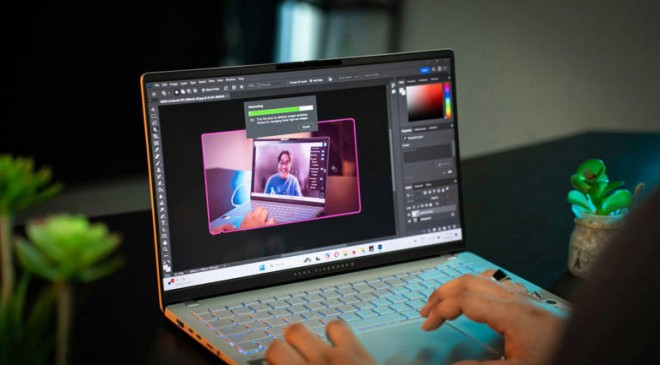
4 easy ways to cut out an image in Photoshop
Isolate any object you’d like in Photoshop using these quick steps!
Read More:- Here’s What Your Private IP Address Means, and How You Find It
Lossless compression — No quality loss
JPG uses a lossy compression that will affect the image quality

PNG uses lossless compression, meaning it retains 100% of the original image quality. In contrast, JPG removes some image data to reduce file size. That, in turn, translates to losing more or less from the quality of the image. After converting an image to JPG, you might see it blurred, pixelated, or with changes in the image colors.
Moreover, if you convert a JPG image to PNG, and then use another converter to save it back to JPG, the tool may further apply lossy compression to the file and make it even worse.
Read More:- What Is USB Type C, And What Can It Do?
To demonstrate this, I started with a PNG of a landscape I took. I converted the original image, which was around 17MB in size, to a 4MB JPG using Paint. Then, I magnified both PNG and JPG images on the detail of the photo. If you look at the gallery above, you will see that the JPG version is blurred and has some artifacts. If you print these images on a large-sized page, you will also see some color differences.
Supports transparency (Alpha channel)
This is great for applying logos and some other elements

PNG supports transparency, allowing you to save images with clear or semi-transparent backgrounds. If you try to save a transparent background PNG image into JPG, you will see that the background will be filled with a solid color (usually white). That’s because the JPG format doesn’t have an Alpha channel to support the background layer.
So, if you want to use a graphic element like a symbol, or even a product and apply it to another image or background, always save the image as PNG. Of course, that only works if you have a transparent background PNG or remove the background from the image.
Read More:-Apple’s Siri settlement could mean money for consumers — what to know
Nowadays, you can even remove the background from an image using Paint. There’s a dedicated button on the top-left corner of the app’s user interface.
Better for text and sharp edges
Color gradients will also be affected after JPG conversion

If you’re creating a large banner for a billboard with a lot of writing, PNG is again the way to go. It’s better for preserving sharp details, so it will be ideal for graphs, letter contours, line art, and other graphic elements that require them.
In the image above, you can see a close-up of a letter in PNG and the same on the converted JPG on the right. The detail is shown at the same magnification as an image of the same 5000×4000 resolution image.
Read More:- How I Use WhatsApp’s Message Yourself Feature to Stay More Organized
The JPG on the right clearly has blocky edges and artifacts. To be honest, you won’t actually see the difference unless you print the text on a big billboard, or zoom in like I did. So, if you’re saving that for a home project that will fit on the display of your laptop or PC, it won’t make much of a difference, especially if you convert it with a high-quality image editor.
Handles more colors and gradients without banding
JPG can have problems with color gradients

Although both PNG and JPG support 24-bit color, PNG has a higher color depth than JPG, which translates into smoother gradients and richer colors. You will see the difference when you convert a PNG image to JPG at low quality. The compression process for JPG will introduce an effect called color banding. That means that you will see actual blocks of color instead of smooth transitions.
I just created an image with a color gradient and saved it as a PNG, then converted that image into a JPG at a lower quality. You can clearly see the difference between them in the image above. Again, as with text sharpness, it all depends on the quality of the JPG image and how you’re using it. It won’t make any difference on a normal display if you convert it to a high-quality JPG with a Windows photo editor. However, if you spare the quality and print it on a big canvas, you will definitely see the change.
Read More:-Google’s new AI tool uses image prompts instead of text
Better for image editing and archiving
The JPG will lose quality every time you save it

Since PNG is lossless, it’s perfect for editing, because you can save and reopen it without losing quality. In turn, a JPG image loses quality every time you edit and re-save the file. That means it’s unreliable for detailed work, whatever you’re trying to do.
The same reason also stands for archiving the images. Being lossless, PNG images will be preserved intact in an archive. So, if you care about image quality, you should store your images as PNG, even if you archive them. The JPG images will be compressed more, losing quality in the process, but saving a lot of space in the process.
Read More:- WhatsApp wants you to be sneaky with its new group calling feature
I saved the same 4000×3000 pixel image as PNG and JPG and compressed them using WinZIP. The PNG image was compressed from 6MB to 4.6MB, and the JPG version was compressed from 524 KB to 242 KB. Obviously, saving and compressing your image as JPG will save you more space on your disk. However, the PNG image was also compressed consistently and retained its quality.
When do you choose PNG over JPG
If you need high-quality images to edit and print on large canvases, always save them as PNGs. They have a transparency layer and better preserve details.
Read More:- Straight out of science fiction: NASA’s Juno spacecraft captures image of a dolphin on Jupiter’s surface
However, if you just keep some images on your drive to look at from time to time, you can go ahead and store them as JPG. You should also convert an image as a JPG if you want to send it via email or through a communication platform because it will be smaller.